Platform
One CBT platform, from question bank to finalized results
Author questions, build sectioned tests, deliver them in a secure exam screen, proctor and monitor candidates live, then finalize results and export reports — all in Academify.
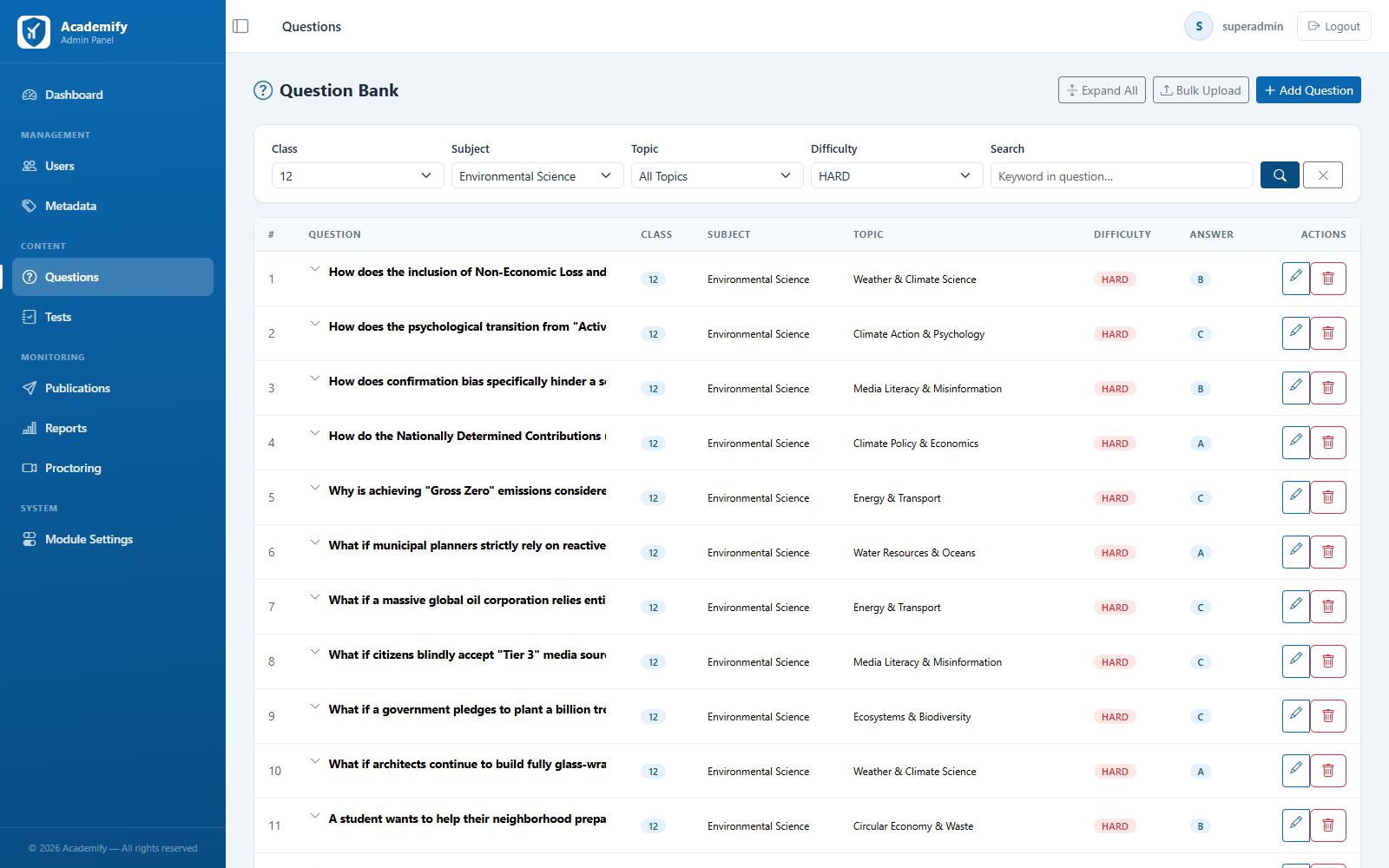
Question Bank
One repository, organized for reuse
Build a question bank once and draw on it for every test, instead of starting from scratch each time.
- Organize questions by class, subject, topic, and subtopic
- Tag every question with a difficulty level: easy, medium, or hard
- MCQ, text, and match-the-column question types
- Bulk upload from a ready-made Excel template
Test Builder
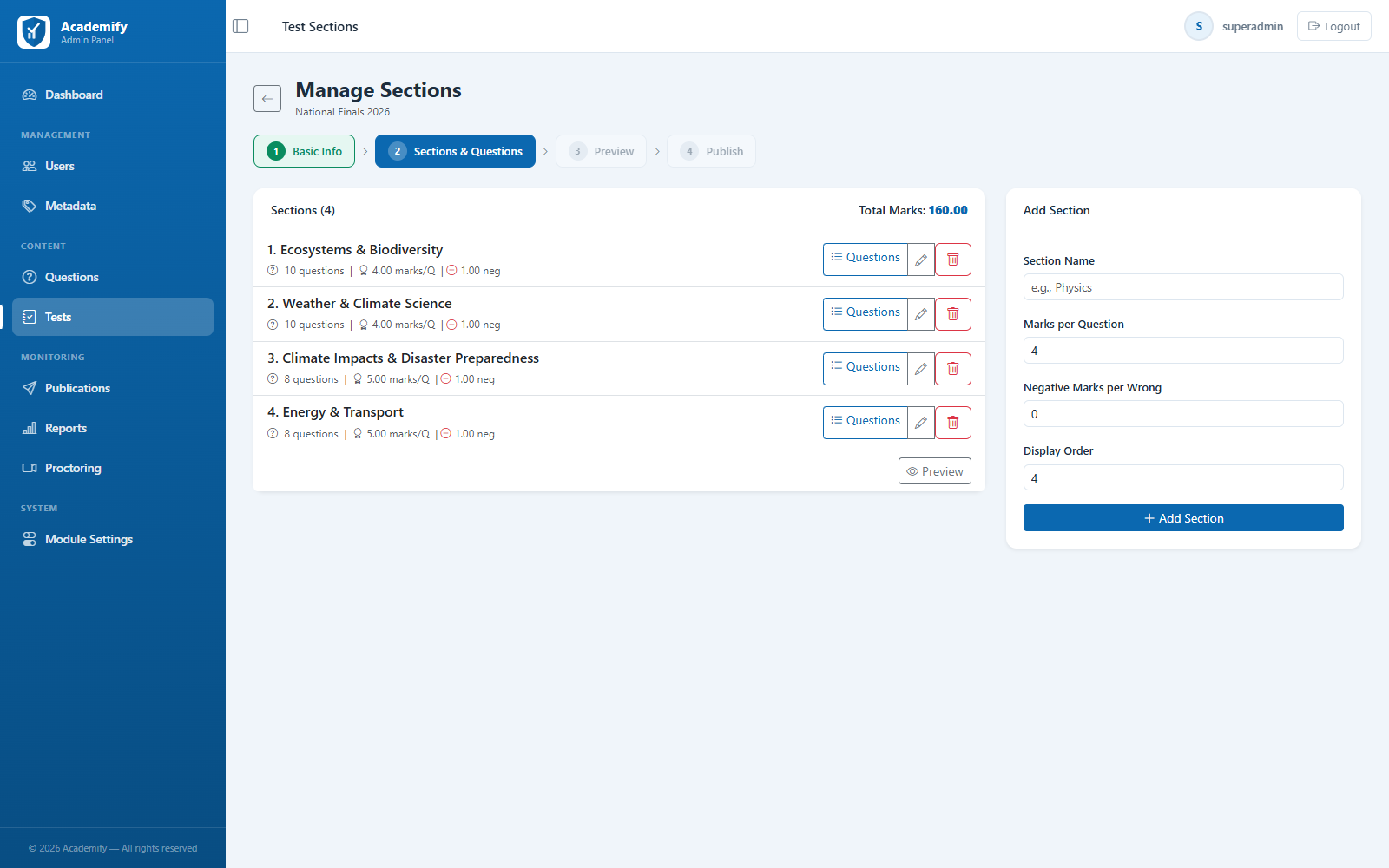
Sectioned tests with your marking scheme
Set up a test the way your exam actually works — multiple sections, your own marks, and your own rules.
- Multiple sections per test, each with its own questions
- Configurable marks per question and negative marking
- Optionally shuffle question order and answer options
- Schedule and publish to a whole class, a section, or individual students
Student Experience
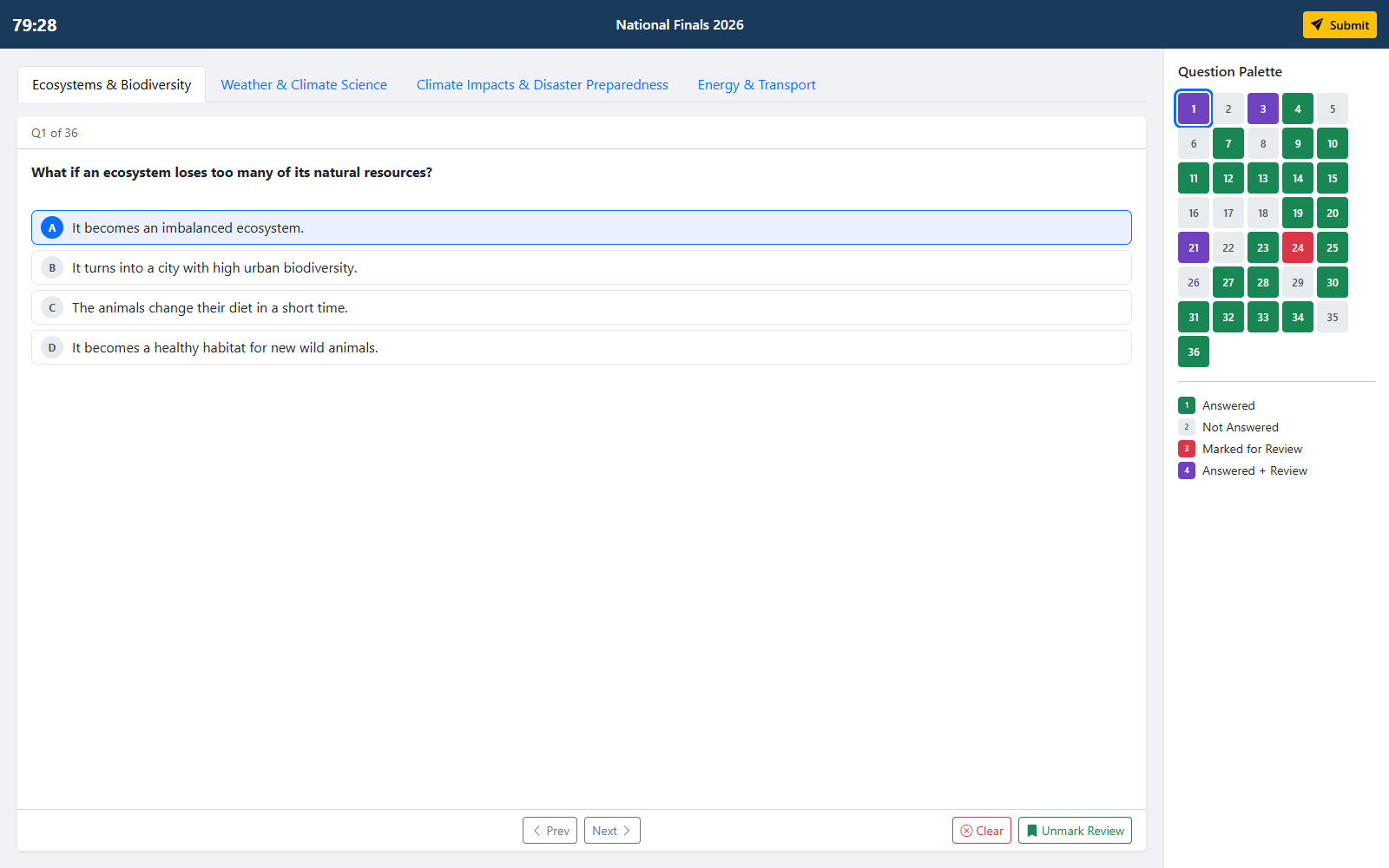
An exam screen students find familiar
A clean, mobile-responsive exam interface modelled on the computer-based exams students will sit later.
- Section tabs and a question palette showing answered, unanswered, and marked questions
- Mark for Review and Clear Response on every question
- Answers saved as students go, with automatic submission when time runs out
- A visual post-exam report with section-wise accuracy
Proctoring & Live Monitoring
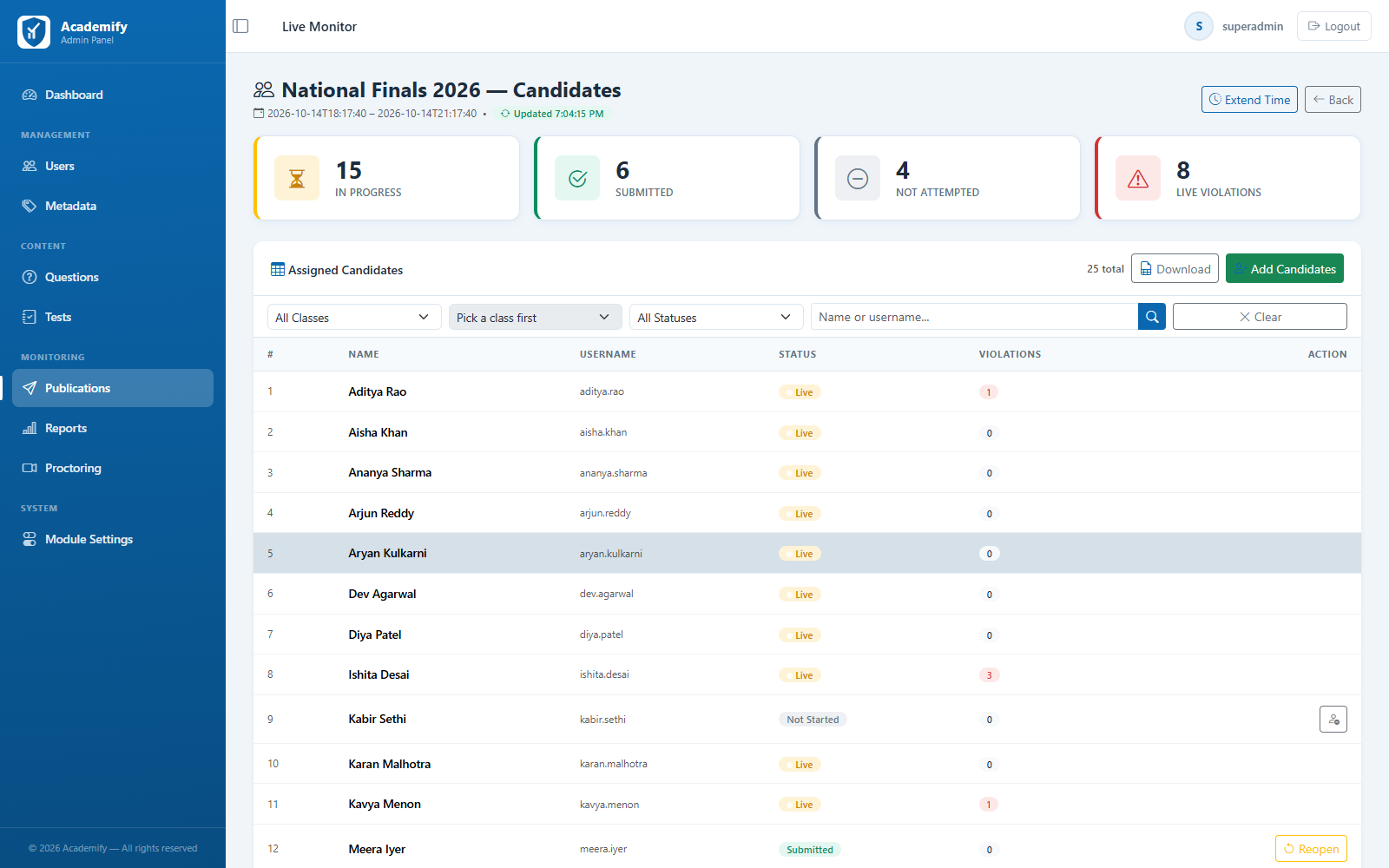
Exam integrity you can see as it happens
Built-in remote proctoring flags suspicious behaviour during the exam, and a live monitor shows every candidate's status in one place.
- Periodic webcam snapshots with face-presence and multiple-face checks
- Fullscreen enforcement and tab-switch detection
- Flags for dev tools, print-screen, page refresh, and network drops
- Live candidate monitor with a violation log for every candidate
Results & Reports
Finalized results, ready to share
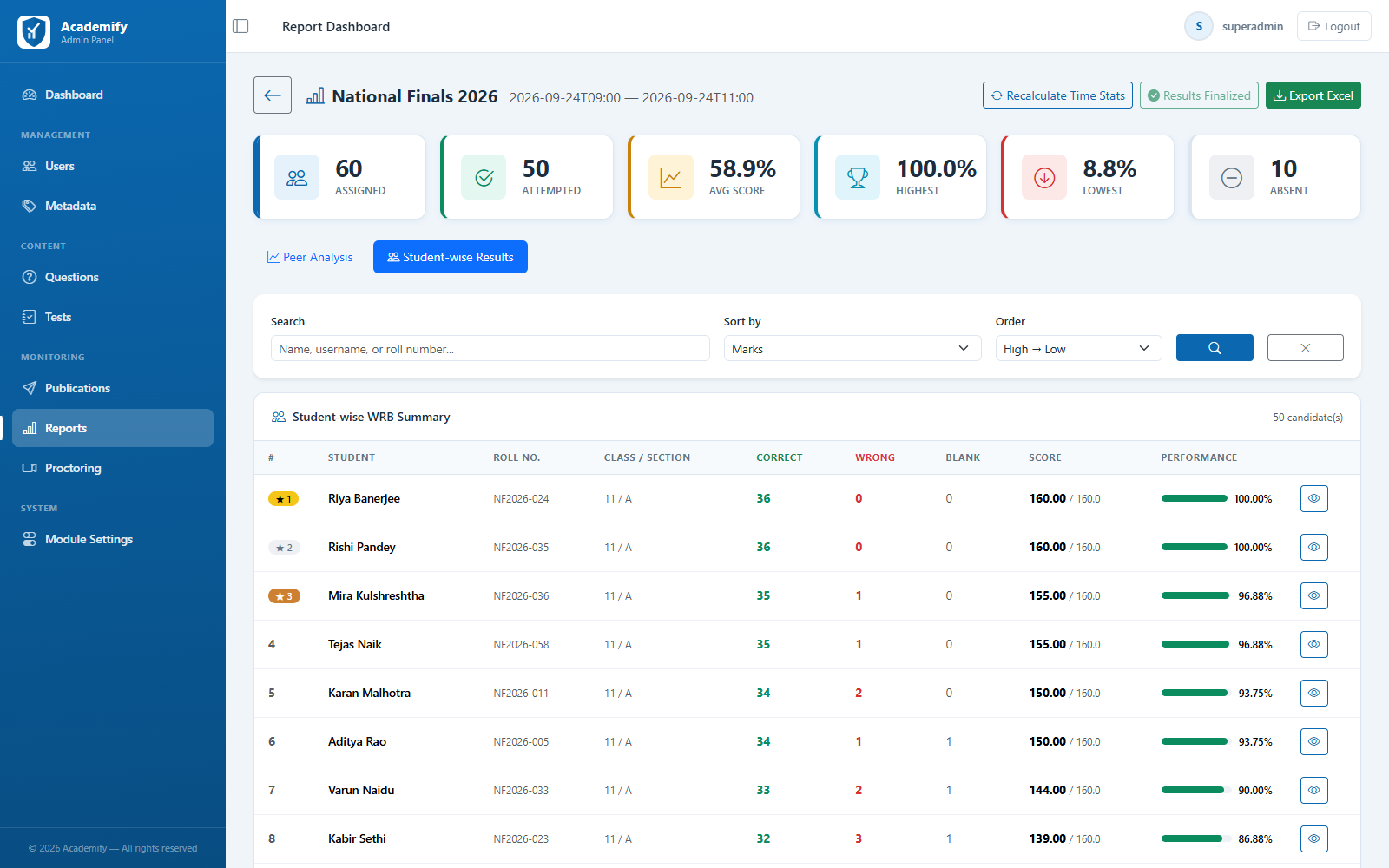
When a sitting closes, finalize results to lock in scores, compute ranks, and open up reports for administrators and students.
- Finalize Results workflow that computes cohort statistics and ranks
- Per-test score distribution, section-wise breakdown, and student ranking
- Per-student answer review, question by question, with time spent
- Full test reports exported to Excel
Administration
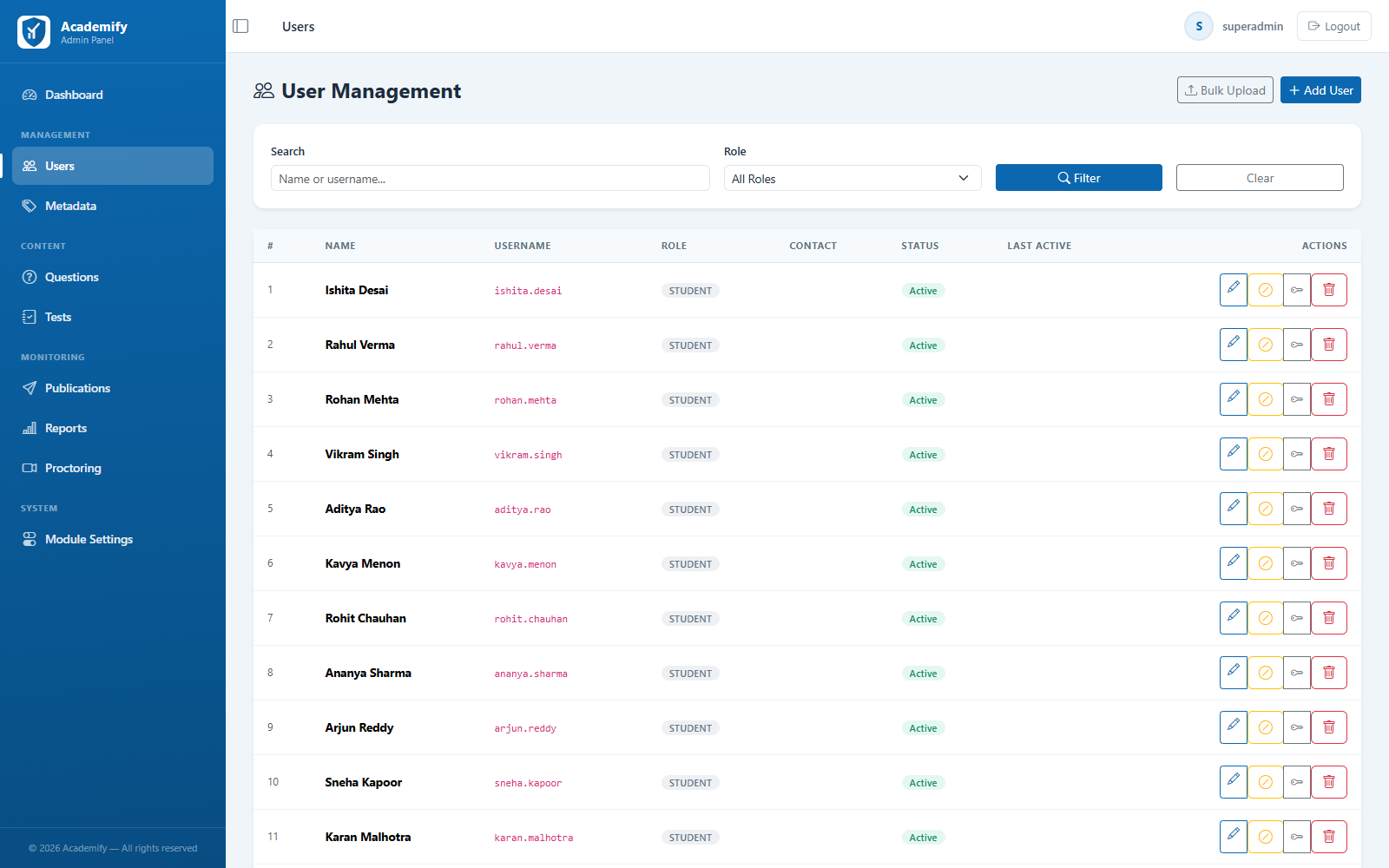
Roles and controls for every team member
Give each person the access they need, and onboard whole batches of students in minutes.
- Super Admin, Admin, Teacher, and Student roles
- Choose which modules each role can see
- Bulk upload of users from CSV
- Your institution's logo across the platform
See the full platform in a live walkthrough
Book a demo and we'll walk your team through question bank setup, test publishing, live proctoring, and finalized results.