Secure online exams for Olympiads and institutions
Academify is a computer-based testing platform: build a question bank, publish sectioned timed tests, proctor and monitor every candidate live, and release finalized results with rankings and Excel reports.
Built for
- Schools
- Coaching institutes
- Olympiad organizers
Core capabilities
Everything a modern assessment program needs
Academify combines the pieces institutions and organizations usually stitch together from multiple vendors.
How it works
From setup to finalized results, in four steps
Academify covers the full exam cycle, so your team can run a proctored test without stitching together separate tools.
- 01
Set up users and classes
Bulk-upload students from CSV, organize them into classes and sections, and assign admin and teacher roles.
- 02
Build your question bank
Add questions one at a time or upload them from Excel, organized by subject, topic, subtopic, and difficulty.
- 03
Publish and proctor the test
Create a sectioned, timed test, publish it to the right students, and monitor candidates live as they sit it.
- 04
Finalize and report
Finalize results to compute ranks, then share section-wise reports and export them to Excel.
Product
One platform for administrators, teachers, and students
Admins run exams and reports, teachers manage questions and tests, and students get a focused exam screen and their own results.
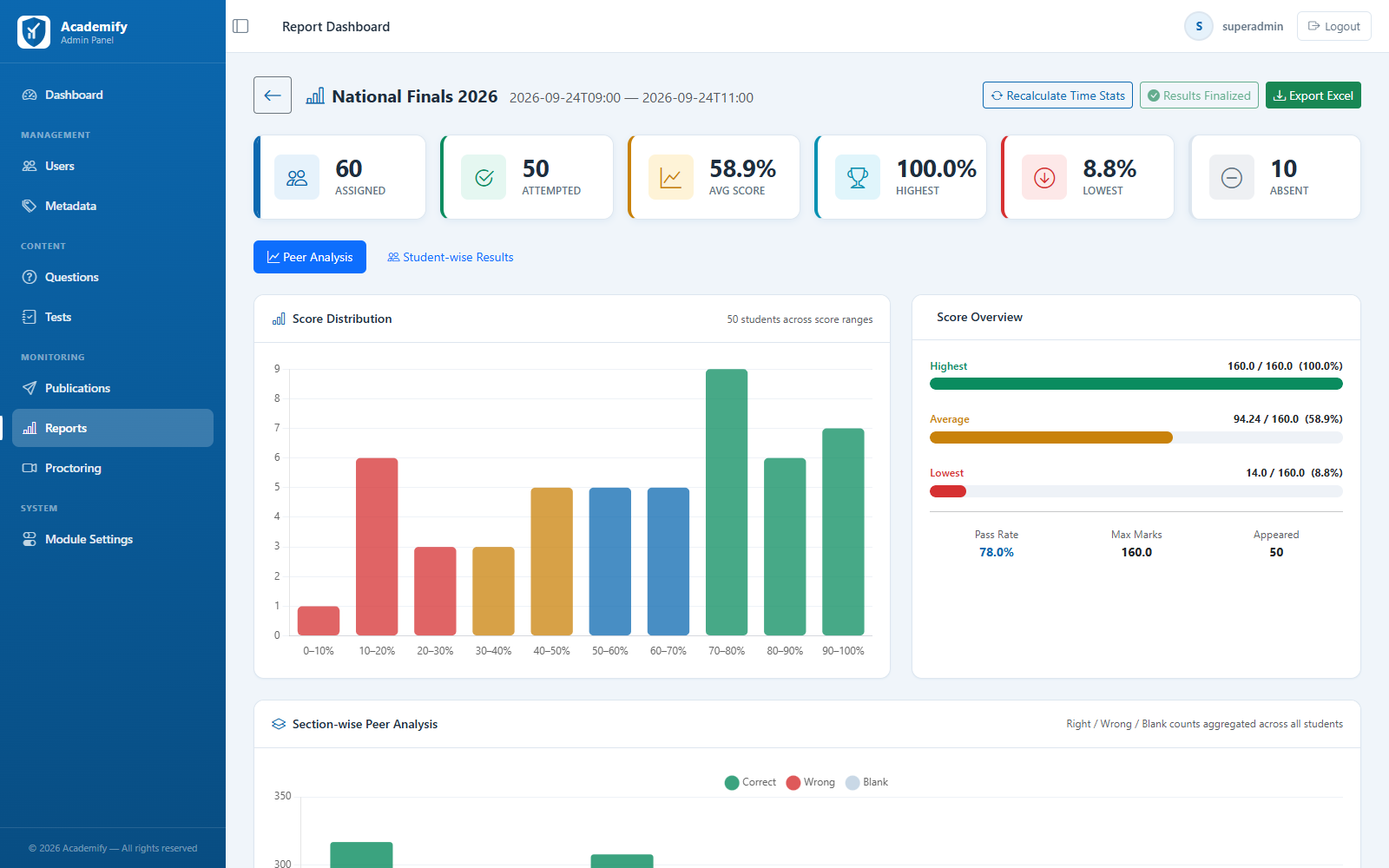
The platform at a glance
- Proctoring violation types detected
- 12
- Question types: MCQ, text, and match-the-column
- 3
- User roles, from Super Admin to Student
- 4
- Bulk question upload and full report export
- Excel
Proctoring violation types detected
Question types: MCQ, text, and match-the-column
User roles, from Super Admin to Student
Bulk question upload and full report export
FAQ
Questions institutions ask us
Straight answers about how exams run on Academify.
Do students need a webcam?
Only if you turn on webcam proctoring for that test. Proctoring and fullscreen options are chosen test by test, so a routine class test can run without a camera while an Olympiad sitting uses full proctoring.
What happens if a student's internet connection drops?
Answers are saved as the student goes, and a save that fails is retried automatically. The disconnection is recorded against the candidate so your team can review it afterwards.
What if a student refreshes the page or their browser closes mid-exam?
They log back in and continue the same attempt with their saved answers. The timer keeps running from the original start time, and the page refresh is logged as a proctoring event.
What happens when time runs out?
The test is submitted automatically with every answer the student has saved, so no one needs to click Submit at the last second.
How strict is the proctoring?
You decide. Each test has a violation limit: candidates see a warning each time a counted violation is detected, and you can choose to auto-submit the test once the limit is reached. You also choose which violation types count toward that limit and which are only logged.
Can we use our own questions?
Yes. Add questions one at a time or upload them in bulk from an Excel template, organized by class, subject, topic, subtopic, and difficulty. MCQ, text, and match-the-column question types are supported.
Can students take tests on a phone?
Yes. The student exam screen is mobile-responsive, with the same section tabs, question palette, and Mark for Review options as on a desktop.
When do students see their results?
You choose, test by test, whether students see their result. Ranks and peer comparison are only calculated and shown once you finalize results for that sitting.
Ready to see Academify in action?
Book a walkthrough of the question bank, exam screen, live proctoring, and results workflow, set up for your institution or Olympiad.